Kids Math: Math Games for Kids
RV AppStudiosEducational
4.577.00 Reviews
- Version
- Varies With Device
- Installs
- 5.00M
- Age Rating
- Everyone
Screenshots
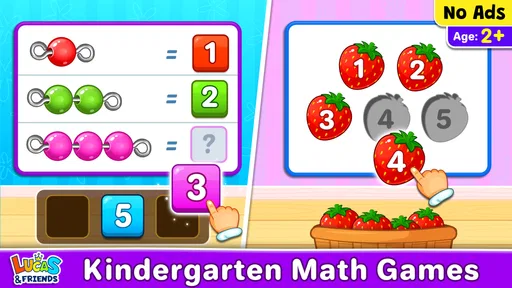
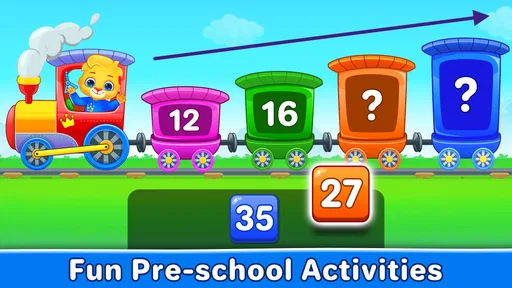
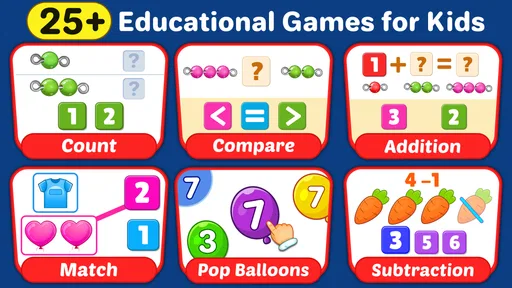
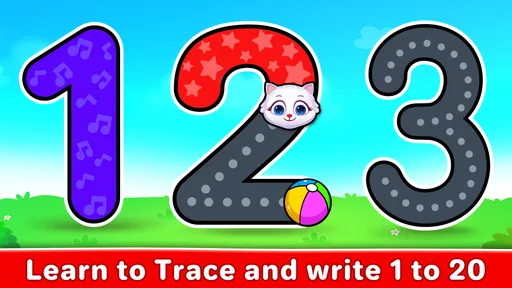
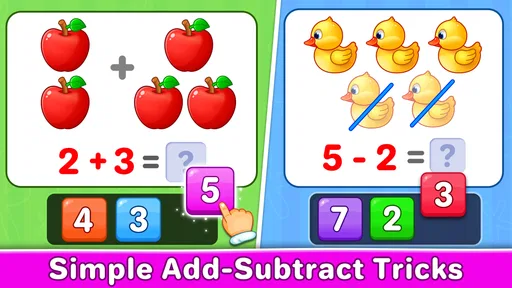
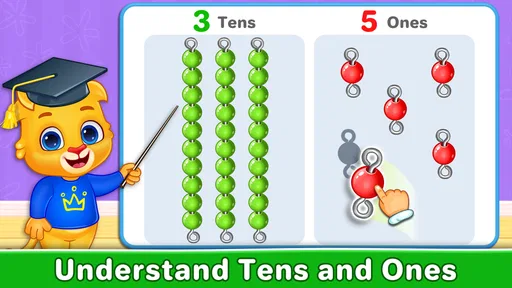
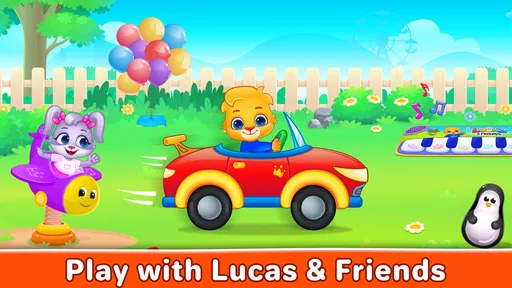
Our Review of Kids Math: Math Games for Kids
 Analysis by Appyee
I found Kids Math: Math Games for Kids most useful as a gentle first step into numbers rather than as a complete mathematics course. It is a free educational game from RV AppStudios, aimed at children who are beginning to count, recognize numerals, and understand simple arithmetic. After spending time with it, my main impression is clear: it succeeds when a child needs short, friendly practice without the pressure of a worksheet, but it is less suitable for older children who need detailed explanations or a carefully staged curriculum.
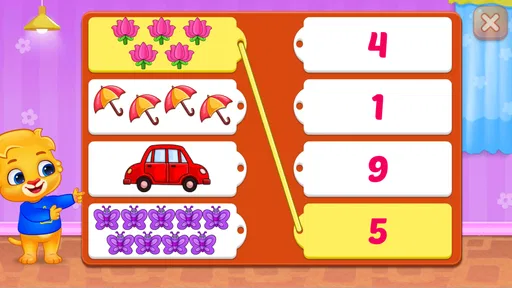
The appeal is easy to understand. Instead of presenting math as a formal lesson, the game turns early skills into small activities involving counting, matching numbers, and basic calculations. That makes it approachable for a child who may resist a workbook but will happily try a colorful game. I also appreciate that the experience is focused. It does not attempt to cover every branch of mathematics, so parents can quickly see what kind of practice it offers.
What the game does well in everyday use
The strongest part of the experience is its suitability for brief sessions. I would not treat it as an app a child needs to use for a long stretch. It works better as a few minutes of practice before dinner, during a quiet break, or while an adult is preparing something nearby. That limited format is a strength because early learners can lose concentration quickly, and a short activity is easier to finish positively than a long lesson.
The basic progression from recognizing quantities to matching numbers and attempting simple math gives children a natural starting point. A child who is still learning that a written numeral represents a group of objects can begin with visual counting. Once that connection feels familiar, number matching becomes less abstract. Basic sums then have a better chance of feeling like a continuation of something understood rather than a sudden demand to memorize symbols.
In my experience, this kind of sequence is more helpful when an adult occasionally talks alongside the game. I would ask, “How many did you see?” or “Why did you choose that number?” rather than simply checking whether the answer was correct. The app can provide repetition, but a parent or teacher can supply the language that turns repetition into understanding. That is one of the most practical ways to get more value from it.
Another strength is its low barrier to entry. It is free, carries an Everyone content rating, and runs on devices using Android 6.0 or later. That makes it a realistic option for families using an older Android phone or tablet instead of a newer dedicated learning device. The installation footprint also matters in real households: parents can try it without making a financial commitment, then decide whether the style suits their child.
The game’s popularity gives it some useful reassurance, although popularity should not be confused with educational depth. It has passed five million installs and holds an average rating of 4.5 from roughly 9.7 thousand ratings. I see those figures as evidence that many families find the format approachable, not as proof that every child will learn at the same pace. Children respond very differently to visual games, repetition, and touch controls.
The release date was May 5, 2021, and that helps place the app in context. It is not something I would choose because it promises the newest classroom methodology. I would choose it because its purpose is simple and understandable: offer young learners a playful place to practice early number skills. For that role, a straightforward design can be more useful than an overloaded app filled with unrelated subjects.
A practical routine for parents
A realistic routine might look like this: a child opens the game after school, completes one or two activities, and then explains one answer aloud. If the child makes repeated mistakes with the same kind of question, I would stop the session rather than encourage guessing. I would use physical objects such as buttons or blocks to recreate the problem, then return to the game later. This prevents the app from becoming a test of tapping speed.
That workflow reveals a less obvious benefit. The game can act as an observation tool for adults. Watching a child play may show whether the difficulty is counting, recognizing the written numeral, remembering a simple operation, or understanding the instruction. Those problems look similar when all an adult sees is a wrong answer. A short digital activity can make the point of confusion easier to notice, provided the adult watches instead of handing over the device and walking away.
I also recommend using it as a warm-up rather than a reward that must be earned through unrelated behavior. When every game is treated as a prize, a child may focus on finishing quickly instead of thinking carefully. A calmer approach is to present the activity as one available practice choice, alongside drawing numbers, counting toys, or using a paper worksheet. That comparison helps the child understand that the device is a tool, not the only place where math happens.
Where it falls short
The meaningful limitation is depth. Counting, matching, and basic math are valuable foundations, but they do not provide the explanation, variety, or challenge needed by every learner. A child who already handles early arithmetic confidently may move through the material without much intellectual stretch. In that situation, an app with graded lessons, written working, problem-solving tasks, or broader topics would be a better choice.
I would also be cautious about assuming that correct answers automatically show genuine understanding. A young player can sometimes recognize a familiar pattern or tap quickly without being able to explain the idea away from the screen. That is not a flaw unique to this game, but it is especially important with early math. I would occasionally ask the child to solve a similar question using household objects or a pencil. If the skill disappears outside the app, more hands-on teaching is needed.
The game format may not suit children who become frustrated by repeated attempts, visual stimulation, or touch-based interaction. Some learners prefer a quiet page where they can write, cross out, and try again. Others need spoken instructions or an adult to model each step. For those children, a traditional workbook, a teacher-led exercise, or a more accessibility-focused learning tool may produce better results than another game, even when the game is free.
There is also a trade-off between convenience and parental control. A free app is easy to try, but I would still preview it and establish a session limit before giving it to a child. I would not rely on any educational game as an unsupervised substitute for teaching, especially when a child is showing persistent difficulty. The most effective use is shared or lightly supervised practice, with the adult deciding when to pause and discuss an answer.
How it compares with familiar alternatives
Compared with a paper worksheet, this game is more inviting for a child who needs immediate interaction and quick repetition. It removes the difficulty of holding a pencil correctly and makes practice feel less formal. The worksheet wins when a child needs to show working, develop handwriting, or see several problems together. I would use the app for engagement and the page for transfer: after playing, ask the child to draw the objects or write the numbers independently.
Compared with a broad children’s learning platform, this game is easier to understand at a glance. A parent does not need to navigate through many unrelated subjects before reaching early math practice. The trade-off is that a larger platform may offer more structured progression, richer explanations, and activities matched to different ages. If your child needs reading, science, language, and mathematics in one organized program, this focused game may feel too narrow.
Compared with a teacher or parent, the game offers consistency but not judgment. It can repeat an activity without impatience, yet it cannot notice that a child is counting the same object twice, confusing quantity with size, or choosing an answer by trial and error. That is why I see it as a practice companion rather than a replacement for conversation. The best alternative is not always another app; sometimes it is ten minutes of counting real objects together.
One useful way to decide is to watch what happens after the novelty fades. If the child begins explaining choices, recognizing numbers more confidently, and applying the ideas to toys or snacks, the game is serving a real purpose. If the child only rushes through familiar screens or asks for help on every item, switch the activity or add physical teaching. The right measure is not how long the app holds attention, but whether the skill travels beyond it.
Who should try it
I would recommend it most strongly for preschool and early-primary learners who are beginning number recognition and simple arithmetic. It is also a sensible trial for parents who want a no-cost introduction before paying for a larger educational subscription. Because the content rating is Everyone, it is positioned as a child-friendly choice, though an adult should still decide whether the pace and presentation match the individual child.
It may be particularly helpful during transitions. A child moving from informal counting to more deliberate number practice can use it as a bridge between play and schoolwork. It can also support a child who needs extra repetition but dislikes being handed the same paper exercise repeatedly. The key is to keep the sessions light and to connect the on-screen task with something tangible afterward.
I would skip it, or at least make it secondary, for children who need advanced mathematics, detailed feedback, or a formal learning plan. It is not the right main resource for a learner struggling with concepts that require diagnosis and explanation. It is also not ideal for a family seeking a single app that covers a wide school curriculum. In those cases, a structured educational service or direct support from a teacher will be more appropriate.
Before installing, I would check the device requirement and make sure the child has access to an Android device running version 6.0 or newer. Since the game is free, trying it is straightforward, but I would still give it a short evaluation period rather than assuming it will fit. Watch whether the child can play independently, whether the activities are too easy, and whether the child can demonstrate the same idea without the screen.
My final recommendation
RV AppStudios has made a focused early-math game that earns its place as a supplementary practice tool. Its best qualities are its approachable subject matter, short-session format, and low cost. I like that a parent can introduce it without turning math into a formal event, then use the child’s responses to decide what deserves more attention offline.
My reservation is equally straightforward: the game should not be mistaken for a complete teaching program. It can encourage counting, number matching, and basic calculation, but it cannot replace explanation, handwriting, real objects, or an educator’s judgment. Children who need more challenge or more individualized support will outgrow it or need another resource alongside it.
With that expectation, I think it is worth trying. Its real value is as a friendly bridge into early math, not as a substitute for learning everything through a screen. I would install it for a young beginner, keep sessions short, talk through the answers, and regularly test the same ideas away from the device. Used that way, it is a practical free option for building confidence at the very beginning of a child’s math journey.
Verdict
Strengths of Kids Math: Math Games for Kids
- Covers addition, subtraction, multiplication, and division practice.
- Short activities help children stay focused during learning sessions.
- Colorful visuals make basic math practice more appealing.
- Suitable for independent practice with simple on-screen controls.
- Can help reinforce arithmetic skills through repeated exercises.
Limitations of Kids Math: Math Games for Kids
- Some children may find the exercises repetitive after extended use.
- Difficulty options may not suit every child’s exact learning level.
- Requires a compatible device and enough storage for installation.
- Younger children may still need adult help navigating the app.
- Progress tracking may be limited compared with dedicated learning platforms.
Other Releases by RV AppStudios
View All
Coloring Games: Color & Paint
Educational4.4

Drawing Games: Draw & Color
Educational4.3

Baby Games: Piano & Baby Phone
Educational4.4

Puzzle Kids: Jigsaw Puzzles
Educational4.4
Similar Picks in This Category
View All
Little Panda Policeman
BabyBus4.0

Monster Trucks Game for Kids 2
Raz Games4.1

Little Panda's Chinese Recipes
BabyBus4.4

Little Panda's Restaurant
BabyBus4.4

Little Panda's Ice Cream Games
BabyBus4.3

Baby Panda Care
BabyBus3.8
Frequently Asked Questions
What is Kids Math: Math Games for Kids?
Kids Math: Math Games for Kids is an educational app designed to help young learners practice essential mathematics through short, interactive activities. It generally focuses on skills such as counting, addition, subtraction, multiplication, division, number recognition, and simple problem-solving. The game-like format can make practice feel less intimidating, although the exact topics and difficulty levels may vary depending on the version installed.
Is Kids Math: Math Games for Kids suitable for my child’s age?
The app is mainly intended for preschool and elementary-school children who are beginning to learn or reinforce basic arithmetic. Younger children may need an adult to explain instructions or help them navigate the menus, while older children can use it for quick revision and extra practice. Parents should check the store listing for the recommended age range because lesson difficulty and available activities can differ between updates.
Does the app require an internet connection to play?
Many math activities in Kids Math: Math Games for Kids may be available offline after installation, which is useful for travel, school breaks, or limiting screen-time distractions. However, features such as advertisements, analytics, updates, purchases, or certain online content may still require a connection. It is best to test the app in airplane mode before relying on it as a completely offline learning tool.
Is Kids Math: Math Games for Kids free to download and safe for children?
The app may be free to download, but it can include advertisements, optional purchases, or locked content depending on the platform and current release. Parents should review the app’s permissions, privacy information, advertising settings, and in-app purchase controls before handing over the device. Enabling parental controls and requiring authentication for purchases is recommended, particularly when younger children use the app independently.
Can Kids Math: Math Games for Kids replace school lessons or tutoring?
Kids Math: Math Games for Kids works best as a supplementary practice tool rather than a replacement for classroom teaching, homework support, or professional tutoring. It can help children repeat basic calculations, build confidence, and develop faster number recognition, but it may not explain every concept in depth or adapt perfectly to a child’s curriculum. Parents should combine the app with conversation, written exercises, and age-appropriate guidance.
Play our best games!


